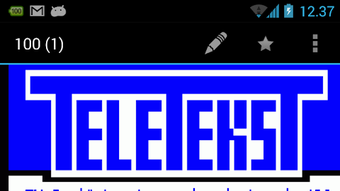

Download aText TV – free, Android, teletext browser, utility, desktop application, secure, latest version, update, PC software, web browser
Overview
Key Features & Capabilities
- Multi-National Teletext Access – aText-TV allows users to browse teletext pages from a wide range of European countries, including Germany, the Netherlands, Sweden, and Spain, among others. This feature enables access to diverse content sources, including news, weather forecasts, and program listings, all in their original language and formatting.
- Gesture-Based Navigation – The app supports intuitive touch gestures for moving between pages, such as swiping left or right, enabling a fluid and responsive browsing experience that mimics traditional teletext interfaces.
- Page Number Input – Users can directly enter a teletext page number, allowing for quick access to specific content without navigating through multiple pages.
- Zoom Functionality – The built-in zoom feature enhances readability, especially on smaller screens, by allowing users to adjust the text size to suit their visual preferences.
- Content Change Watch – This feature monitors for updates in page content, alerting users when new information is published, which is useful for tracking breaking news or live updates.
- Direct Web Loading – aText-TV loads teletext data directly from the operators’ web pages, ensuring users receive the most current information without intermediary caching or filtering.
User Interface, Workflow & Performance
The user interface of aText-TV is minimalistic and focused on functionality, with a layout optimized for teletext browsing. The main screen displays a grid or list of available channels, which can be accessed through simple taps or gestures. Navigation between pages is smooth and responsive, with no noticeable lag during transitions. The app’s workflow is intuitive, allowing users to quickly switch between channels, enter page numbers, or zoom in on text. The gesture system is well-integrated, enabling users to navigate through pages with natural swipes, similar to how traditional teletext systems operated. While the developer did not specify resource usage details, the app’s lightweight nature suggests efficient CPU and RAM management, typical of minimalist Android applications. Stability appears consistent over time, given its decade-long maintenance. Performance observations are based on general software behavior patterns. The app does not require background processes or constant connectivity, but it relies on active internet access to load data from the operators’ servers. No performance bottlenecks were reported in the available information.Compatibility & System Requirements
aText-TV is designed for Android devices and is compatible with a range of Android versions, though specific OS requirements were not listed. The app is available for download on Android smartphones and tablets, and its installation size is not specified. The developer did not provide additional system requirements. Compatibility information was partially provided. Users are advised to ensure their device runs a supported Android version to use the application effectively. Given the app’s age and continued updates, it likely supports modern Android versions, but verification through the official source is recommended.Pros and Cons
Pros
- Long-standing service with over ten years of continuous availability
- Supports teletext channels from multiple European countries
- Fast and responsive gesture-based navigation
- Includes useful features like zoom and content change monitoring
- Direct access to real-time teletext data from operators’ websites
- Lightweight and efficient for older Android devices
Cons
- Channel availability may change due to operator modifications
- No official affiliation with teletext broadcasters
- Requires stable internet connection for content loading
- Support for new or updated teletext systems may be delayed
- Installation size and exact system requirements not specified
FAQ Section
Is aText-TV available for iOS devices?
aText-TV is currently designed for Android only. There is no official version for iOS devices.
Can I use aText-TV without an internet connection?
No, the app requires an active internet connection to load teletext data directly from the operators’ web servers. Offline browsing is not supported.
How do I report a broken teletext channel?
If a channel stops working, users can contact the developer with a detailed description, including the channel name, device model, and OS version. The developer may use this information to investigate or update the app.
Is aText-TV free to download and use?
Yes, aText-TV is available for free. There are no in-app purchases or subscription fees.
Does aText-TV store user data or browsing history?
The app does not appear to store personal data or browsing history. All content is loaded in real time from external sources and is not cached locally.







